Citrix Banner

Log off a LoadMaster or Apex session from Citrix

If you're having trouble launching the LoadMaster or Apex app, and you need to start a new session, follow the steps below.

Procedure

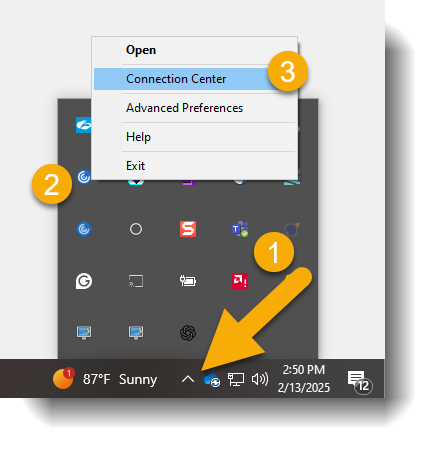
  1. Click the arrow pointing up at the bottom right of your screen.
  2. Right-click the blue Citrix WorkSpace icon and select "Connection Center" as shown below:
  3. Citrix WorkSpace Icon
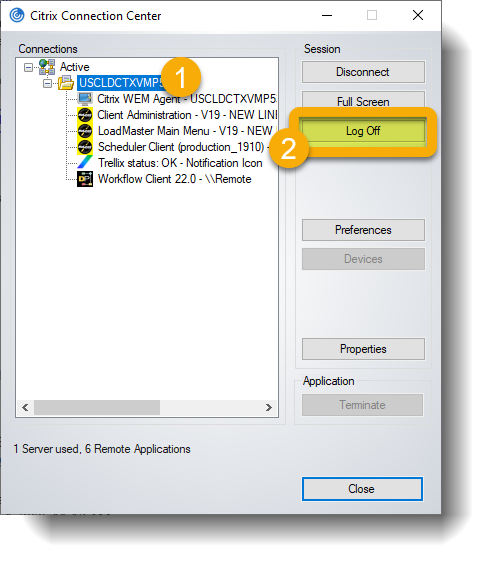
  4. In Connection Center, select the server you are connected to, ensuring it is highlighted.
  5. Click "LOG OFF" as shown below (avoid clicking "Disconnect" to ensure a smooth session reset):
  6. Citrix Connection Center

For additional assistance, please contact the Transport Support team.